



We have covered MetroTalk on this site several times. It’s a great Google Voice app made by a very involved and passionate developer. We were lucky enough to get an early look at version 3.0 of this great app a couple weeks ago. and we couldn’t wait for it to be available for everyone else. That day is finally here!
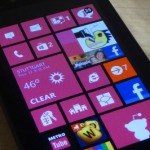
This update can be boiled down to three major things: fast resume, lockscreen notifications, and live tiles. Other smaller additions include text-to-speech for text messages, the ability to contacts for auto-dial or auto-text, a private mode for disabling notifications, and new tiles icons. This update is packed full of goodies. Being an Android user in the past I can honestly say MetroTalk is pretty darn close to the official app by Google.
MetroTalk comes in free and $1.49 versions. If you use Google Voice at all this is a must have app. Full changelog and download below.
- New: Windows Phone 8 support
- New: Fast resume
- New: Multi-size tile support
- New: Lock-screen unread counter
- New: Text-to-speech
- New: Added ability to auto-dial a contact directly from the start screen (a new pin-to-start menu has been introduced in Call/Text)
- New: Additional folder pages can now be downloaded using a scroll-up gesture
- New: Option for enabling private mode, which hides any sender or content info for new notifications
- New: Option to disable vibrating on new messages
- Update: Added new icon for the Call/Text secondary tile
- Update: The account PIN is now hidden in settings
- Bug fix: Secondary tiles are working now on WP8